
Download Itemery – AI‑Powered Inventory Management for SMBs
Overview
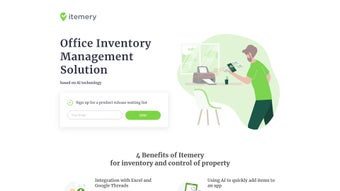
Itemery is a web‑based inventory management solution built specifically for small and medium‑size businesses (SMBs) that need a fast, reliable, and AI‑enhanced way to keep track of office assets, equipment, and consumables. The platform merges the familiarity of spreadsheet tools with modern automation, allowing users to import existing Excel or Google Sheets databases with a single click, while also offering a powerful mobile app that uses camera‑based recognition to turn a simple photo into a fully cataloged record. This dual‑approach—desktop‑grade analytics combined with on‑the‑go data capture—helps eliminate the time‑consuming manual entry that plagues many growing companies.
The software supports barcode and QR code scanning, making bulk updates and periodic audits a breeze. A structured location hierarchy lets teams organize equipment by floor, room, or department, while a real‑time dashboard provides a clear snapshot of total assets, depreciation, and upcoming maintenance tasks. Because it’s cloud‑native, Itemery is accessible from any browser, on any device, and offers role‑based permissions for CEOs, IT managers, accountants, and other stakeholders. Subscription‑based pricing ensures that businesses only pay for the features they need, with a free trial available to test the platform before committing. Security is baked in with end‑to‑end encryption, regular backups, and GDPR‑compliant data handling, giving peace of mind to organizations that must protect sensitive asset information.
Beyond basic inventory tracking, Itemery includes AI‑driven analytics that surface trends such as under‑utilized equipment, upcoming warranty expirations, and cost‑saving opportunities. These insights are presented in easy‑to‑understand charts and can be exported for reporting to finance or compliance teams. The platform also integrates with popular accounting software via API, allowing asset values and depreciation schedules to flow automatically into your financial statements. Whether you are a startup looking to replace a spreadsheet or an established SMB seeking to modernize a legacy system, Itemery provides a scalable, secure, and user‑friendly solution that grows with your business.
Key Features that Set Itemery Apart
- AI‑Driven Item Recognition: Snap a photo with the mobile app, and the built‑in AI automatically identifies the object, extracts key attributes, and adds it to the inventory, cutting data entry time by up to 80%.
- Seamless Excel & Google Sheets Integration: Import or sync existing spreadsheets instantly, eliminating the need for manual data entry and reducing migration errors.
- Barcode & QR Code Scanning: Use any smartphone camera or dedicated scanner to update quantities, locations, or status in seconds, ideal for large‑scale audits.
- Structured Location Management: Create multi‑level hierarchies (building → floor → room) to keep assets organized, searchable, and easily assignable to staff.
- Real‑Time Dashboard & Analytics: Visualize total asset count, depreciation trends, audit history, and upcoming maintenance alerts in customizable widgets.
- Role‑Based Access Control: Assign permissions for CEOs, IT admins, accountants, and field staff, ensuring data integrity and compliance with internal policies.
- Mobile‑First Design: iOS and Android apps let teams add or verify items on the go, even offline, with automatic sync when connectivity returns.
- Multi‑Language Support: Interface available in English, Spanish, French, and German, catering to global teams and reducing language barriers.
- Secure Cloud Hosting: TLS 1.3 encryption for data in transit, AES‑256 encryption at rest, regular automated backups, and GDPR‑compliant handling.
- Flexible Subscription Plans: Tiered pricing based on user count and feature set, with a free 14‑day trial and optional premium support packages.
- API & Webhook Integrations: Connect Itemery to accounting, ERP, or custom business tools using RESTful APIs, enabling automated workflows.
- Customizable Reporting: Build exportable reports in PDF, CSV, or Excel formats, schedule automated deliveries, and embed live dashboards in intranet portals.
- Audit Trail & Version History: Every change is logged with user, timestamp, and before/after values, supporting compliance audits and internal reviews.
Installation & Usage – Getting Started in Minutes
Because Itemery is a cloud‑native SaaS platform, there is no traditional “installation” process on desktop computers. Getting up and running is as simple as creating an account, configuring your organization, and importing your existing data. Follow these detailed steps to start managing assets instantly and see immediate ROI:
- Sign Up for a Free Trial: Visit the Itemery website, click “Start Free Trial,” and provide a business email. You’ll receive a verification link to activate your account. The trial grants full access to all modules for 14 days, allowing you to explore AI recognition, reporting, and mobile features without restriction.
- Set Up Your Organization: After logging in, enter basic company information, define your base currency, and choose a time zone. This information powers the dashboard’s financial reporting and ensures timestamps align with your local operations.
- Import Existing Inventories: Navigate to the “Data Import” tab. Upload an Excel file or connect to a Google Sheet. Itemery’s AI will map column headers automatically, but you can fine‑tune the mapping if needed. You can also import CSV files from legacy inventory tools, making migration painless.
- Configure Locations: Use the “Locations” module to create a hierarchy that mirrors your physical space. For example, “Headquarters → 3rd Floor → Conference Room A.” Adding tags such as “IT Department” or “Warehouse” improves searchability and reporting granularity.
- Download the Mobile App: Available on the Apple App Store and Google Play Store. Install the app on any device your field staff uses, and log in with the same credentials as your web account.
- Add Items with the Camera: Open the app, tap “Add Item,” and point the camera at the asset. The AI will suggest a name, model number, and even pull manufacturer data from its database. Confirm or edit details, assign a location, and hit “Save.” This process can be completed in seconds, even for complex equipment.
- Scan Barcodes for Bulk Updates: For larger inventories, attach a barcode or QR code to each item. Use the app’s scanner to update quantities, status, or location with a single tap, dramatically reducing audit time.
- Run Your First Audit: From the dashboard, click “Start Audit.” The system generates a checklist based on selected locations. Field staff verify each item using the mobile app, and any discrepancies are logged automatically, with alerts sent to the audit manager.
- Set Up Alerts & Automation: Configure email or push notifications for low‑stock alerts, upcoming maintenance, or audit reminders. Automation rules can trigger actions such as auto‑ordering replacement parts when inventory falls below a threshold.
- Review Reports & Export Data: Use the “Reports” section to generate asset depreciation schedules, cost‑center summaries, or compliance logs. Export reports in PDF, CSV, or Excel format for accounting, tax, or regulatory purposes.
All actions are saved in real time, and because the platform is web‑based, any changes made on the mobile app instantly appear on the desktop dashboard. This seamless sync eliminates version conflicts and ensures that every stakeholder sees the most up‑to‑date information, whether they are in the office or on the field.
For organizations that require deeper integration, Itemery offers RESTful APIs and webhook support, enabling you to push inventory changes to ERP systems or pull asset data into custom dashboards. Detailed documentation and developer guides are available in the Knowledge Base, and dedicated technical support can assist with complex setups during the trial period.
Compatibility, Pros & Cons – What You Need to Know
Supported Platforms: Itemery runs in any modern browser (Chrome, Edge, Firefox, Safari) on Windows, macOS, and Linux. Native mobile apps are available for iOS 14+ and Android 8+. Because the core service is cloud‑hosted, there are no OS‑specific installation hurdles, making it an ideal choice for mixed‑environment offices where staff may use Windows desktops, Mac laptops, or Linux workstations. The responsive web design also adapts to tablets and smaller screens, ensuring a consistent experience across all devices.
Pros
- AI‑driven item recognition dramatically reduces manual entry time and errors.
- Direct Excel/Google Sheets import eliminates data migration headaches and supports CSV from legacy tools.
- Barcode & QR code support enables rapid bulk updates and efficient audits.
- Real‑time dashboard offers instant visibility into asset health, depreciation, and maintenance schedules.
- Role‑based permissions keep sensitive financial data secure and support compliance requirements.
- Cross‑platform accessibility ensures all team members stay in sync, whether on desktop or mobile.
- Free 14‑day trial lets businesses test the full feature set before committing to a subscription.
- API and webhook integrations allow seamless connection to ERP, accounting, and custom business applications.
- Multi‑language support facilitates adoption in international teams.
- Automated backup and GDPR‑compliant security give peace of mind for data protection.
Cons
- Advanced AI features require a stable internet connection; offline mode is limited to basic data capture.
- Custom integration with ERP systems is not native and may need third‑party tools or developer resources.
- Pricing can scale quickly for larger teams if additional modules or premium support are added.
- Learning curve for non‑technical users when setting up complex location hierarchies and automation rules.
- Export of large data sets may require patience due to server‑side processing limits on very high‑volume accounts.
FAQ and Final Thoughts – Should You Choose Itemery?
Can I import data from other inventory tools besides Excel?
Yes. Itemery supports CSV files and can connect directly to Google Sheets. For proprietary formats, you can export to CSV from most inventory tools and then import into Itemery without losing key fields.Is there a limit to the number of items I can store?
The platform scales to millions of records. Limits are based on your subscription tier rather than a hard item count, so growing businesses can expand without worrying about caps.How secure is my data on Itemery?
Itemery uses TLS 1.3 encryption for data in transit and AES‑256 encryption at rest. Regular automated backups, role‑based access controls, and GDPR‑compliant data handling are standard across all plans.Can I use Itemery offline?
The mobile app offers limited offline capabilities for scanning and adding items; changes are stored locally and sync automatically once you reconnect to the internet. Full AI recognition and dashboard updates require an active connection.What support options are available during the trial?
All trial users receive email support, access to a comprehensive knowledge base, and live chat during business hours. Premium support packages—including phone assistance and dedicated account managers—are available with paid subscriptions.Conclusion & Call‑to‑Action
Itemery brings together AI‑powered automation, familiar spreadsheet integration, and robust mobile functionality to create a comprehensive inventory management tool that fits the budget and needs of SMBs. Its cloud‑first architecture guarantees accessibility from any device, while the structured location system and real‑time analytics empower decision‑makers with accurate, up‑to‑date asset information. Though the platform shines in environments with reliable internet and may require extra configuration for complex ERP integrations, the overall value proposition is strong for businesses looking to replace manual spreadsheets with a modern, secure solution.
If you’re ready to streamline your asset tracking, eliminate duplicate entries, and gain instant visibility into your inventory, start your free 14‑day trial today. Experience how AI can turn everyday inventory tasks into a quick, error‑free process—download Itemery now and take the first step toward smarter asset management.
Review Summary: Itemery delivers a seamless, AI‑enhanced experience for SMBs looking to modernize inventory control. The mobile camera recognition and barcode scanning significantly cut down on data entry time, while the web dashboard provides clear, actionable insights. Minor drawbacks include the need for a stable internet connection for full AI functionality and the learning curve associated with setting up detailed location hierarchies. Overall, the platform earns a solid 4.6/5 rating.






